
Design of Cardeo Credit
Design for Cardeo Credit
- Native app designs
- New product feature launch
- Native app designs
- New product feature launch
Basic initial designs completed prior to my joining the team were re examined and further developed into comprehensive componentry and full user flows.
The product received an overall look and feel refresh to create a more contemporary feeling service with greater visual contrast and usability.
Basic initial designs completed prior to my joining the team were re examined and further developed into comprehensive componentry and full user flows.
The product received an overall look and feel refresh to create a more contemporary feeling service with greater visual contrast and usability.
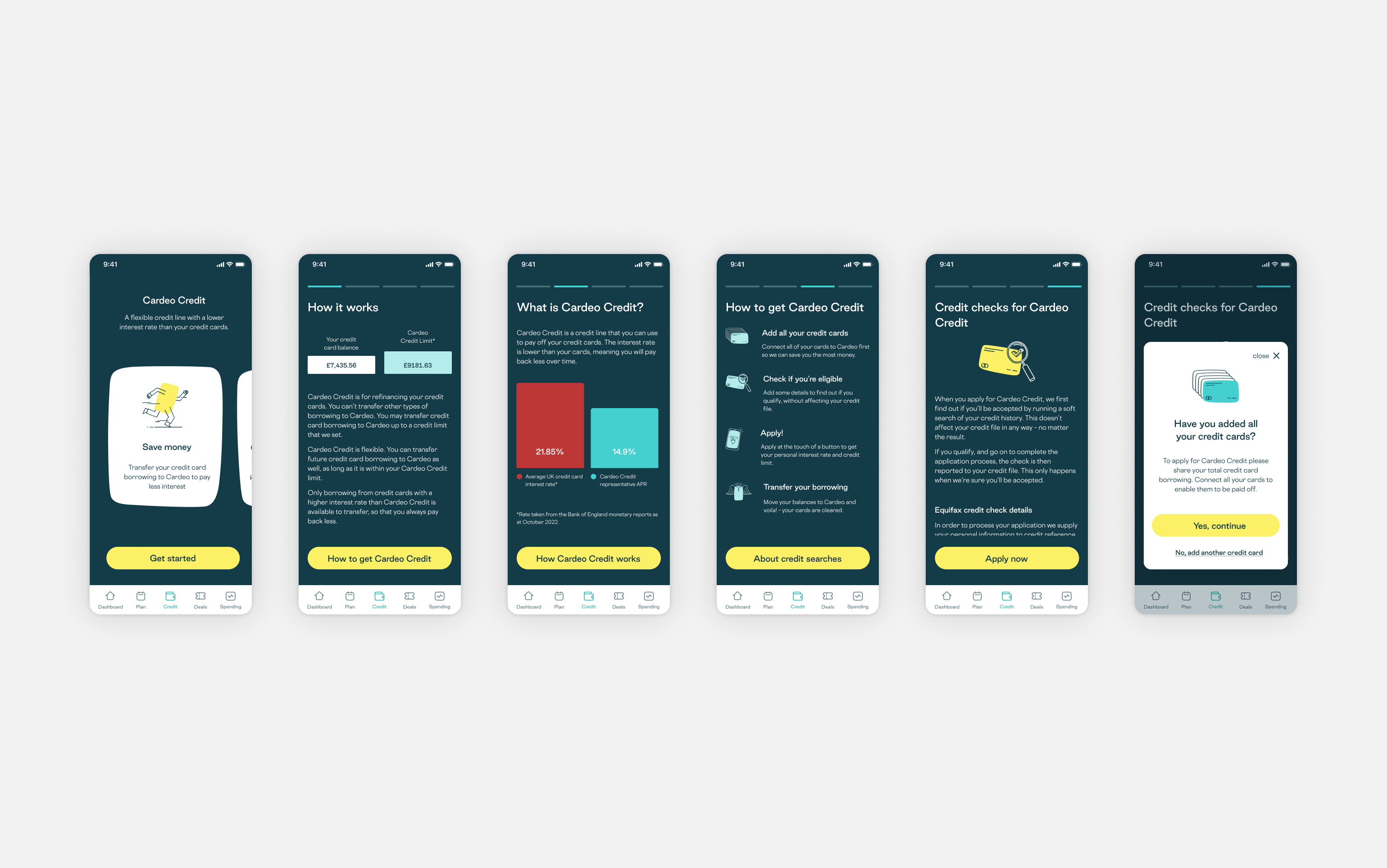
The original onboarding journey was dark and text heavy, with long pages of technical jargon that didn't explain the product benefits.
Working with the H.O.P and a compliance copy writer I created a more simple 3-step onboarding flow that was more spacious yet visually focussed, with more concise copy. The more technical illustrative text was moved to drawers that could be revealed using the ‘More info’ button so as to not overload the pages.
The original onboarding journey was dark and text heavy, with long pages of technical jargon that didn't explain the product benefits.
Working with the H.O.P and a compliance copy writer I created a more simple 3-step onboarding flow that was more spacious yet visually focussed, with more concise copy. The more technical illustrative text was moved to drawers that could be revealed using the ‘More info’ button so as to not overload the pages.
From the dashboard a user can see their total balance, credit limit and credit utilisation across all their added cards. Tapping into each tile reveals a more detailed inspection over varying time periods.
Users can also see a detailed list view of the cards they’ve added, and where required be notified about any missing card information that they can then enter - such as interest rates or minimum payment amounts.
From the dashboard a user can see their total balance, credit limit and credit utilisation across all their added cards. Tapping into each tile reveals a more detailed inspection over varying time periods.
Users can also see a detailed list view of the cards they’ve added, and where required be notified about any missing card information that they can then enter - such as interest rates or minimum payment amounts.
When Cardeo Credit is offered the user has the option to choose how to pay down their cards. including Cardeo recommended methods such as Avalanche (highest interest first) or Snowball (lowest balances first) or manually split their payment across their cards. After they’ve confirmed their drawdown method and card split they are then required to set up a direct debit to repay their Cardeo Credit back to Cardeo.
Even when repaying Cardeo they’re given the option to opt for either the minimum payment, or make overpayments that show a dynamic calculation for how much interest they’ll save by paying more.
When Cardeo Credit is offered the user has the option to choose how to pay down their cards. including Cardeo recommended methods such as Avalanche (highest interest first) or Snowball (lowest balances first) or manually split their payment across their cards. After they’ve confirmed their drawdown method and card split they are then required to set up a direct debit to repay their Cardeo Credit back to Cardeo.
Even when repaying Cardeo they’re given the option to opt for either the minimum payment, or make overpayments that show a dynamic calculation for how much interest they’ll save by paying more.
Cardeo Credit Home is where a user can see their transactions and statements, and manage their Credit account settings, edit payment details and make one-off payments.
Cardeo Credit Home is where a user can see their transactions and statements, and manage their Credit account settings, edit payment details and make one-off payments.
Integration of Intercom chat support.
The chatbot support feature primarily offers smart suggestions and topics to handle what are usually issues that can be dealt with by surfacing the correct information.
As well as this there is live agent support to deal with customer enquiries that the chatbot can’t handle on its own.
Integration of Intercom chat support.
The chatbot support feature primarily offers smart suggestions and topics to handle what are usually issues that can be dealt with by surfacing the correct information.
As well as this there is live agent support to deal with customer enquiries that the chatbot can’t handle on its own.